Now on macOS · v0.7.0

Spotify, tuned to you.

A keyboard-first, glass-clad Spotify client for macOS. A command palette for everything, a real system-level 10-band equalizer, immersive synced lyrics, and pins for the music you live in. Zero clutter.

⌘K
Command Palette
10
Band Equalizer
∞
Pins
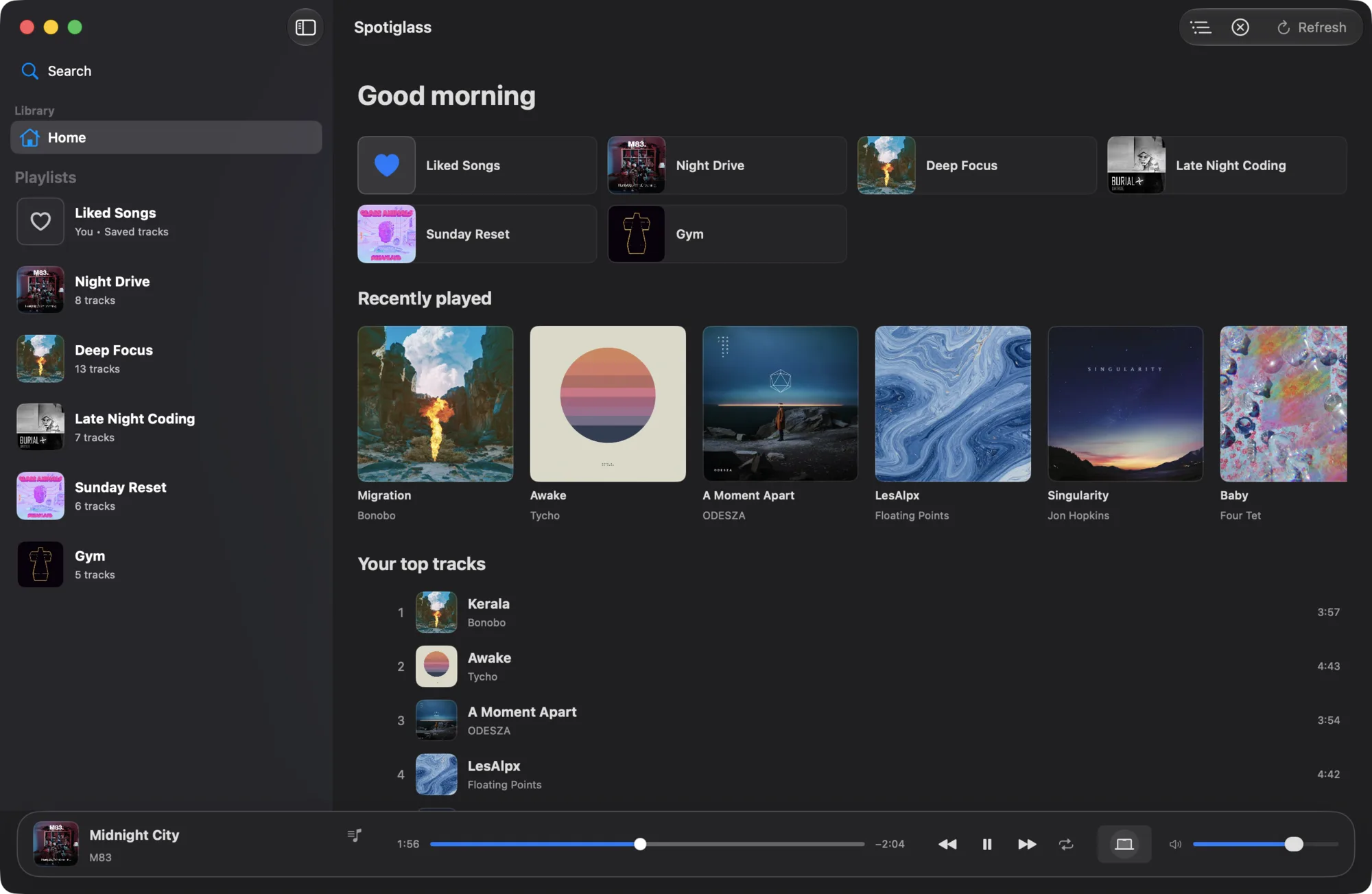
Spotiglass home: your playlists, recently played albums and top tracks, with Midnight City by M83 playing in the player bar
Features

Built for people who
play it by ear.

Every interaction designed for speed, control, and the occasional show-off.

Spotlight for your library

Command Palette

Hit ⌘K and reach anything — playlists, artists, albums, tracks, and every action. Fuzzy search that actually finds it. Pin the result with ⌘↩, queue it with ⇧↩, never touch the trackpad.

⌘Kto open, anywhere
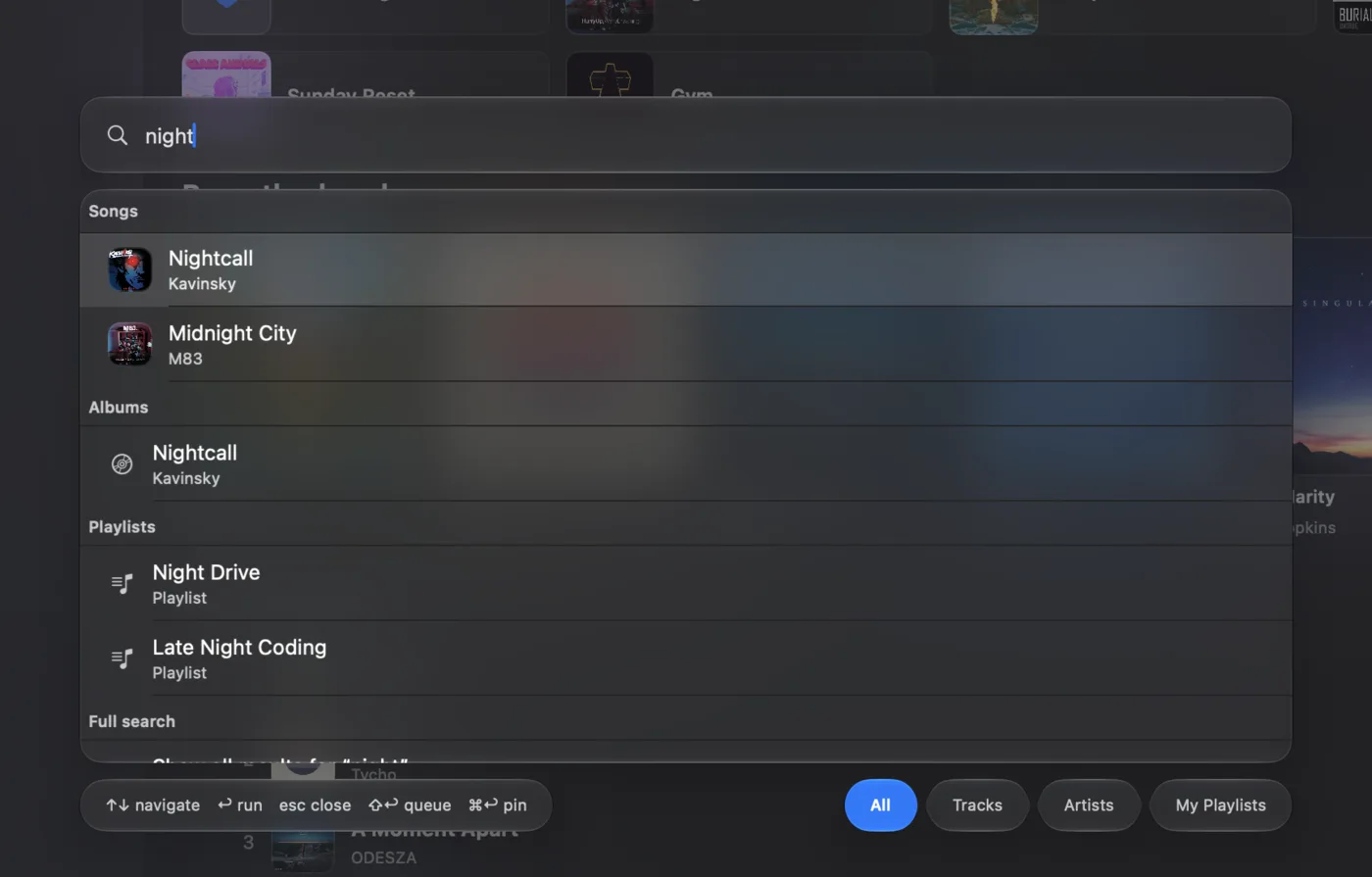
The command palette searching for night: songs, an album and playlists, with queue and pin shortcuts in the footer

Pin everything

Drag any playlist, artist, album, or single track into the sidebar. Reorder by dragging, drop it out to unpin. Your library, your shape.

Immersive lyrics

Full-screen, synced line by line over a blurred cover. Tap any line to seek straight to it. Three text sizes for the back of the room.

Multi-select tracks

Shift-click to grab a range, right-click for the lot: queue, like, add to a playlist, or move them to another. Bulk actions without the busywork.

Glass, your way

A translucent SwiftUI shell that respects System, Light, or Dark — plus reduced-transparency and reduced-motion. Native, not a web wrapper.

Speaks your language

English, Español, and Deutsch out of the box — switch live without missing a beat. Playback keeps going right through the change.

Yours, on disk

Refresh tokens in the Keychain. Settings in a plain settings.json under Application Support you can back up, edit, and version-control.

Signature

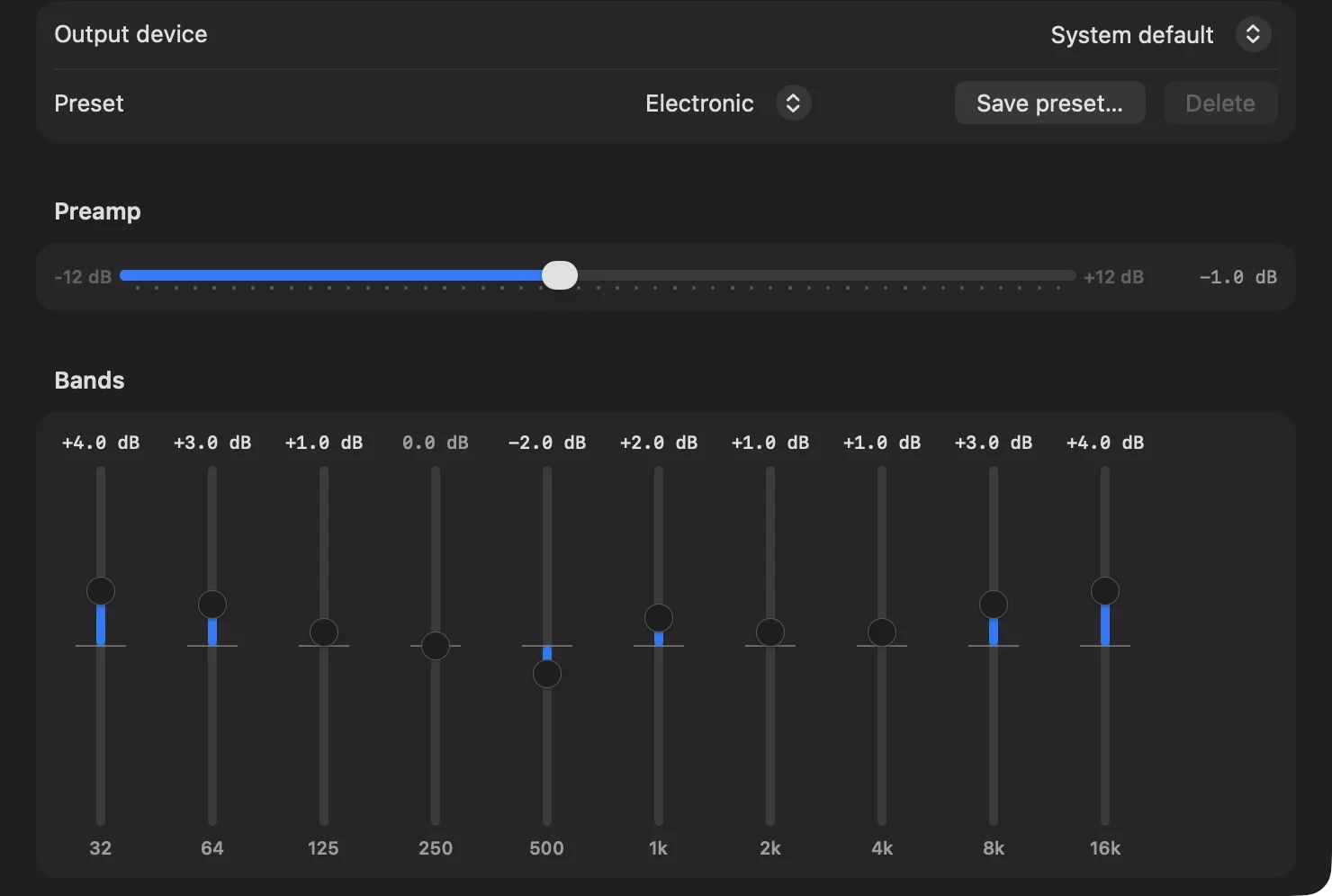
A real equalizer.

Not a fake slider that does nothing. A system-level 10-band HAL plugin with presets, a preamp and per-device output.

Spotiglass Settings, Equalizer: output device, the Electronic preset, preamp and ten band sliders from 32 Hz to 16 kHz

Live changes while playing · custom presets · per-device output routing. ±12 dB · 32 Hz → 16 kHz

Keyboard-first

And every key is
yours to remap.

These are the defaults. Don't like one? Settings → Keyboard, record a new chord, done.

Navigate

  • ⌘K Command palette
  • ⌘R Refresh playlists
  • ⌘, Open settings
  • ⌥⌘Q Toggle queue

Playback

  • Space Play / pause
  • ⇧⌘→ Next track
  • ⇧⌘← Previous track
  • ⇧⌘K Connect playback

In the palette

  • ⌘↩ Pin selected
  • ⇧↩ Add to queue
  • ↩ Open / play
  • esc Close

Ready to hear
the difference?

Download Spotiglass and run your library the way power users actually want to.

Download for macOS

Requires macOS 26+ · Spotify Premium · Free & Open Source