Outbound visibility for macOS
See every connection.
FreeSnitch is an open-source macOS firewall that shows where processes connect and lets you decide what happens next.
Version 1.0.0 macOS 13+ Apple Silicon and Intel Notarized
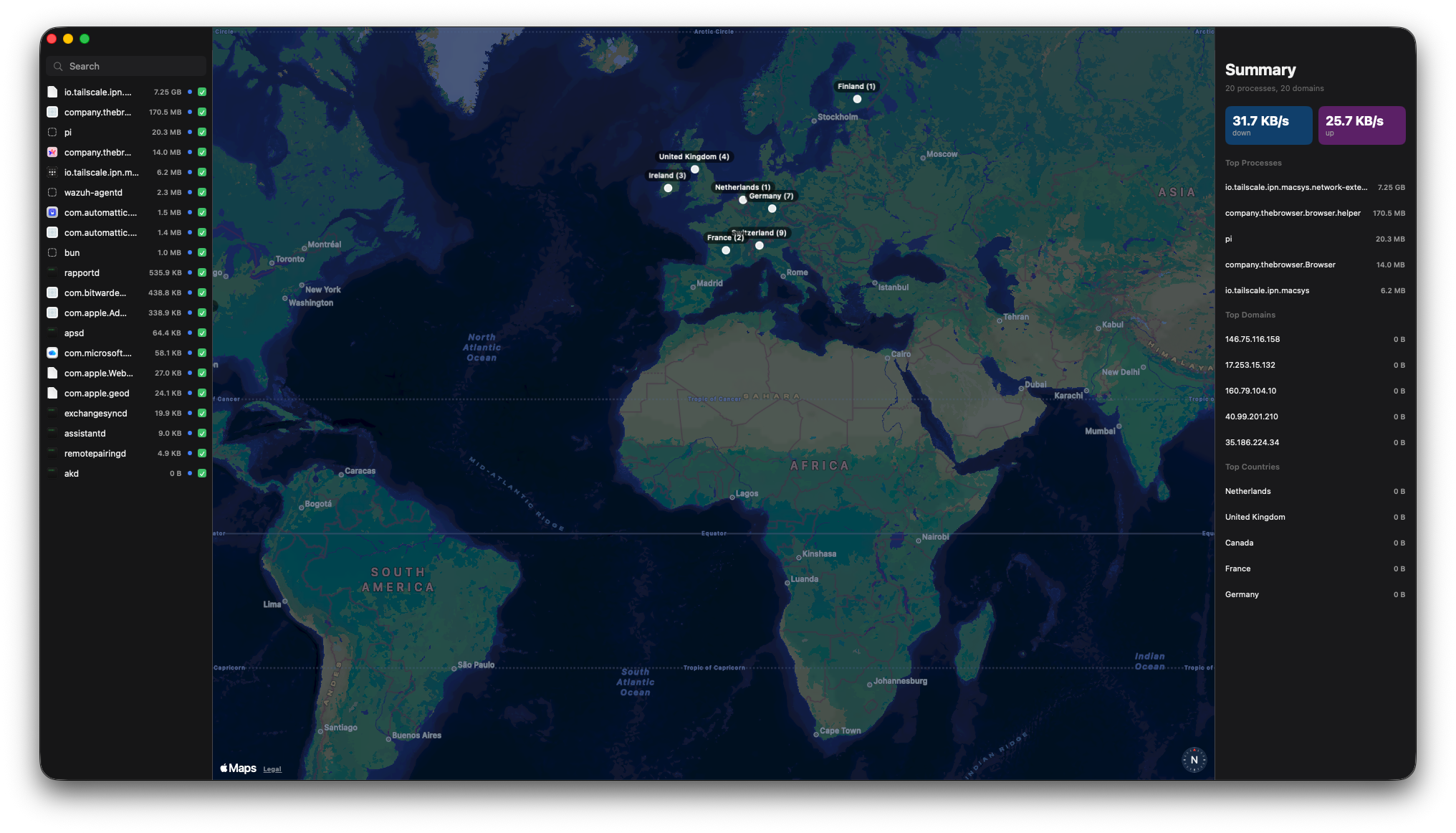
Start with a map, not a mystery.
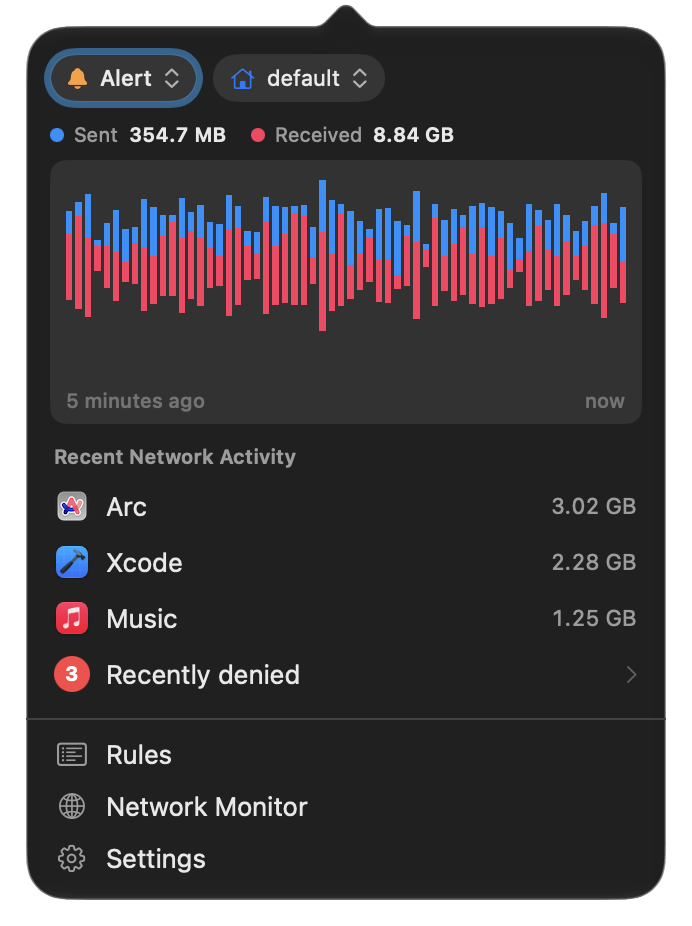
See active connections in real time, grouped by process and destination. Geolocation stays offline, and FreeSnitch collects no telemetry.
- Cost
- Free to use
- Collection
- Zero telemetry
- Platform
- macOS 13+, Apple Silicon and Intel
The useful detail is per process.
A destination means more when you can see which app reached it and how much data moved. FreeSnitch keeps that context next to the map.
- Process
- Identify the app that opened the connection.
- Destination
- Inspect the hostname, address, and port.
- Traffic
- Read the bytes moving through each process.
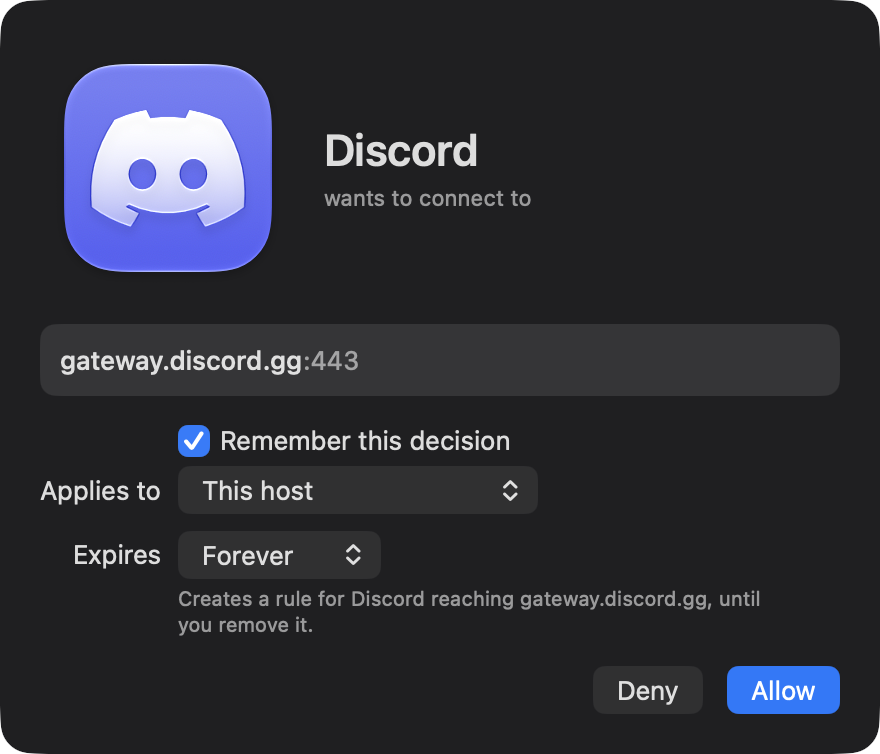
When something reaches out, the choice is yours.
Connection alerts turn an unfamiliar outbound request into a decision you can inspect, narrow, and remember.
A rule should match the question you are asking.
Allow or deny the request, then choose how much of the future to cover. Keep a one-off decision temporary, or make a clear rule that lasts.
-
A process connects
FreeSnitch identifies the process, destination, address, and port before you decide.
-
You set the boundary
Scope the decision to the process, domain, IP, or port. Choose 5 minutes, 1 hour, or forever.
-
The decision persists
Priority ordering keeps broad and narrow rules understandable in the Rules Manager.
- Alert
- Ask before an unapproved connection leaves the Mac.
- Silent Allow
- Let matching traffic pass without interrupting you.
- Silent Deny
- Reject matching traffic without opening an alert.
Set boundaries that make sense to you.
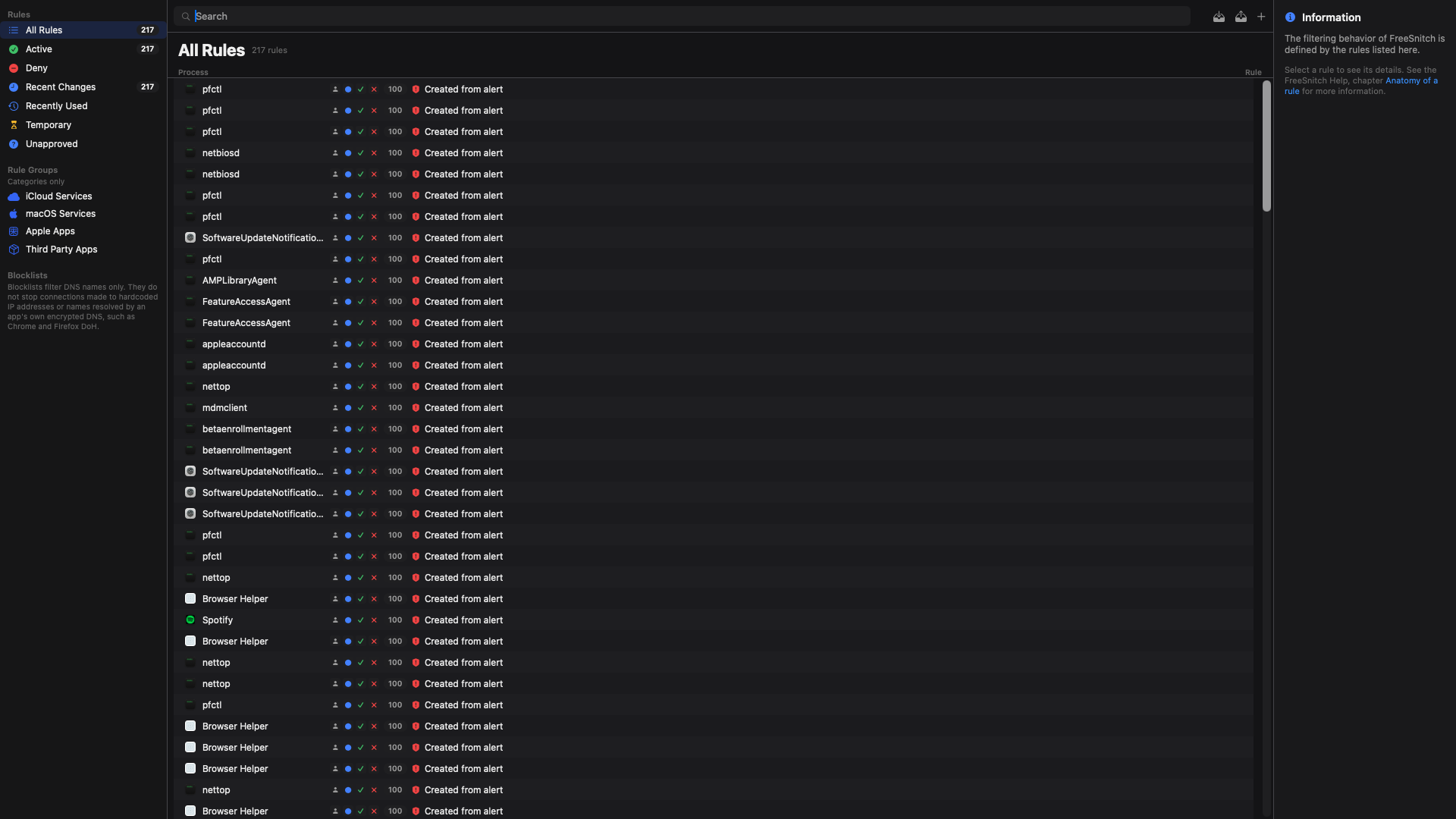
The Rules Manager turns decisions into a policy you can inspect. Other controls cover the paths that names alone cannot.
The rule stays legible.
Use glob hostnames, CIDR ranges, and ports. Search the fields you care about, then let priority ordering make the match explicit.
The map helps you notice. The Rules Manager helps you make the decision repeatable.
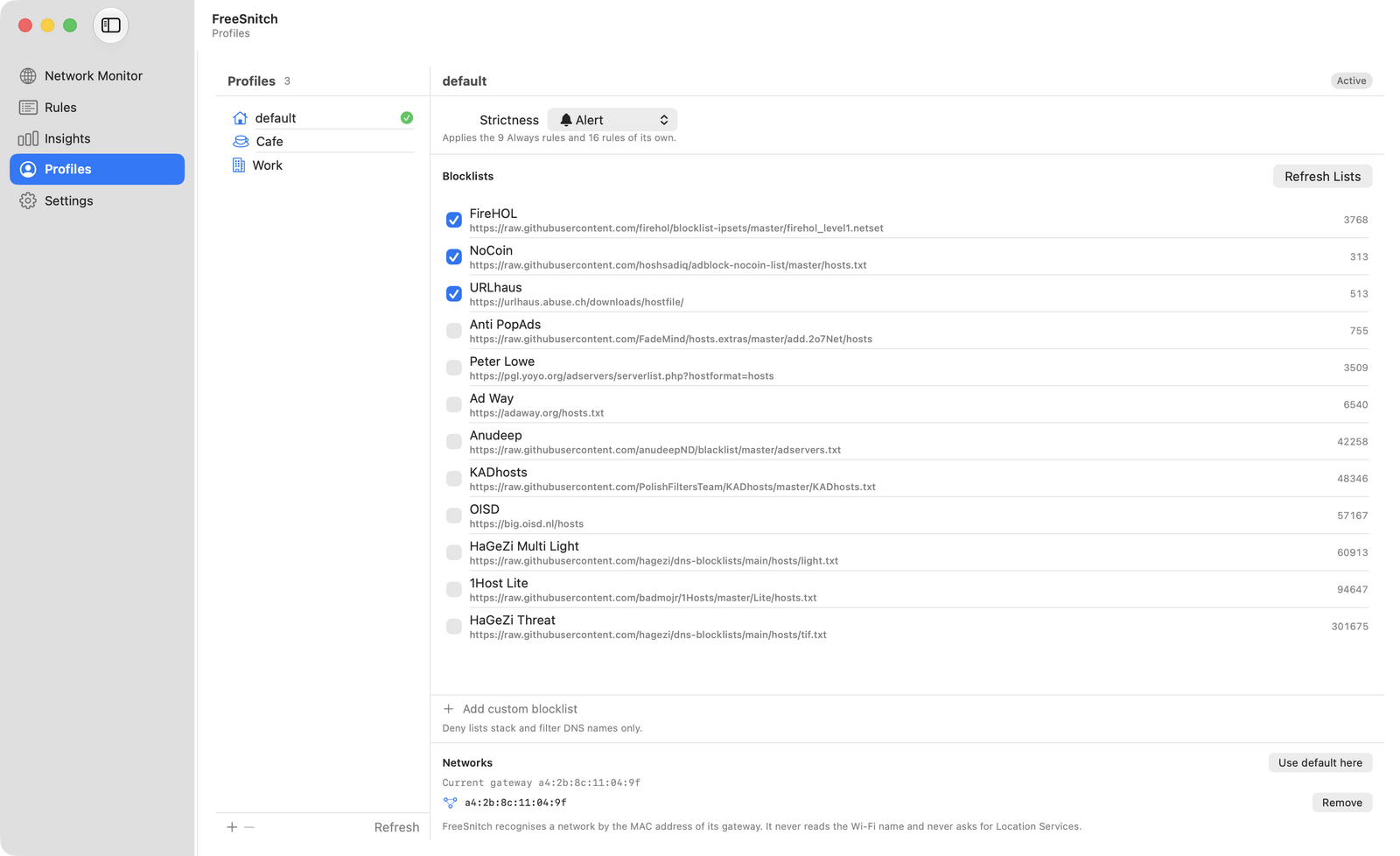
- DNS over HTTPS
- Choose Cloudflare, Quad9, Google, or a custom endpoint. A local proxy listens on
127.0.0.1:53. - Blocklists
- Subscribe to 1Hosts, OISD, StevenBlack, or HaGeZi, with scheduled refreshes. With Enforcement enabled, they filter DNS names sent through FreeSnitch's proxy, not hardcoded IP addresses or names resolved through an app's own encrypted DNS, such as Chrome and Firefox DoH.
- pfctl anchor
- Apply kernel-level IP, CIDR, and port blocking through a pfctl anchor.
- Offline city-level geolocation
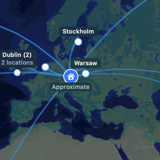
- Place active IPv4 and IPv6 connections on the map, down to the city, without sending location lookups to a third party. The database is downloaded once in bulk and refreshed monthly; individual addresses are never sent anywhere. Where only the country is known, the endpoint is shown at the country centroid and labelled as country level. IP Geolocation by DB-IP.
A firewall should explain its own limits.
FreeSnitch separates visibility, policy, and enforcement so you can see what the app can do before you rely on it.
It fails open by design.
If the GUI is not running or does not answer, traffic is allowed rather than blocked. That keeps a broken interface from becoming a connectivity outage.
- Network System Extension
- FreeSnitch is a per-process outbound application firewall built on a Network System Extension.
- Privileged helper
- The helper handles the system-level work while the GUI presents decisions and policy.
- Data collection
- No telemetry, analytics SDK, or license check. Connection geolocation is offline.
- Distribution
- The release is signed with a Developer ID, notarized and stapled by Apple. Updates arrive through Sparkle and are checked against an EdDSA signature before they install.
The differences are practical.
FreeSnitch sits between a full outbound firewall and the narrow protection built into macOS. Here is the shape of that choice.
| Capability | FreeSnitch | Little Snitch | LuLu | macOS Firewall |
|---|---|---|---|---|
| Cost | Free | Paid | Free | Included |
| Outbound application firewall | Per process | Per process | Per process | Inbound only |
| Live world map and byte counts | Yes | Yes | No | No |
| Scoped connection alerts | Yes | Yes | Yes | No |
| Rules for host, CIDR, and port | Yes | Yes | Limited | No |
| DNS over HTTPS and local proxy | Yes | Yes | No | No |
| Blocklists with scheduled refresh | Yes | Yes | No | No |
| Source license | MIT | Proprietary | GPL | Proprietary |
FreeSnitch column as of version 1.0.0. Per-process filtering runs in a Network System Extension that macOS asks you to approve on first launch.
Know where it stops.
Version 1.0.0 is signed, notarized, and ready to install. Here is what it does not cover, said up front.
Blocklists are DNS only
Lists filter domain names through the local DNS proxy. They do not stop connections to hardcoded IP addresses, or names an app resolves with its own encrypted DNS, such as Chrome and Firefox with DoH on.
The map is an estimate
Locations come from offline IP geolocation, not measurement.
Enforcement is opt-in
Out of the box FreeSnitch watches. The DNS proxy and pf rules start only when you turn on Enforcement in Settings.
Install it. Approve only what you understand.
One universal disk image for macOS 13 or later, on Apple Silicon and Intel. Signed with a Developer ID and notarized by Apple.
FreeSnitch-1.0.0.dmg, 13.7 MB. Free, no account.
-
01
Drag to Applications
Open the disk image and drag FreeSnitch into Applications. macOS only installs its helper from there.
-
02
Allow the helper
System Settings / General / Login Items & Extensions. Turn on Allow in the Background for FreeSnitch.
-
03
Approve the filter
When macOS asks, allow the FreeSnitch system extension in System Settings. It does the per-process filtering.
Check the download before you open it:
shasum -a 256 ~/Downloads/FreeSnitch-1.0.0.dmg
610ef02c2201dba159172f774fd22fa88f6cbc3b79449bef9dacaab5ce361044
Read the source before you trust the filter.
FreeSnitch is free to inspect, fork, and improve. Source, issues, contribution notes, and the MIT license live in the repository.
Project origin
FreeSnitch is an independently maintained fork of PureSnitch created by Moamen Basel. It is MIT licensed. Moamen Basel does not maintain or endorse this fork.